Wrong Channels, No Listings, An Hour Behind: Choosing and Fixing an IPTV Guide That Actually Works
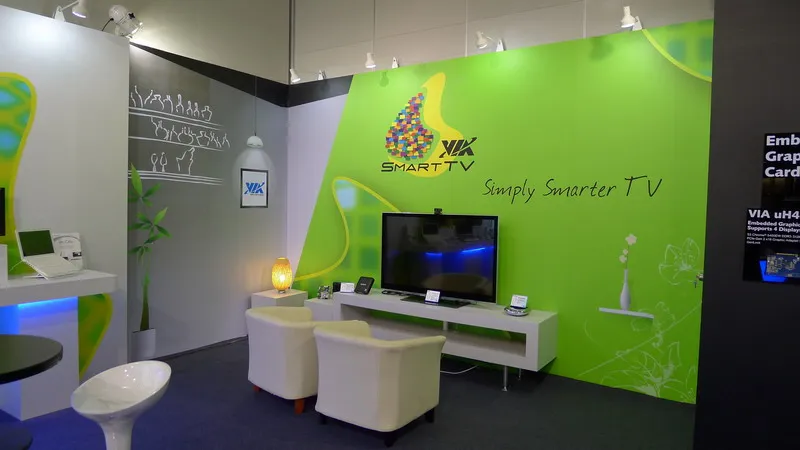
Photo: VIA Gallery from Hsintien, Taiwan, CC BY 2.0, via Wikimedia Commons
There's a particular kind of frustration reserved for sitting down at 8pm, opening the guide, and finding a wall of grey boxes labelled "No information". Or worse, a full seven days of listings that are all one hour out, so you record something that starts as the credits roll.
An electronic programme guide isn't magic. It's a data file — almost always XMLTV — full of programme blocks tagged with channel identifiers and timestamps. Your app's only job is to line those identifiers up with the channels in your playlist and render the result. When it goes wrong, it's almost always one of five things: the source, the IDs, the timezone, the logos, or the refresh.
First, pick where your listings come from
This is the genuine buying decision, and it shapes everything else.
Provider-supplied EPG is the path of least resistance. Most subscriptions ship an XMLTV URL or a built-in guide. The catch is quality — coverage can be patchy for UK channels, updates can be lazy, and you're stuck with whatever they publish.
Community XMLTV feeds cover UK and Irish channels well and are free. They're maintained by volunteers, which means occasional gaps after a channel rebrands, but for the main Freeview and Freesat lineup they're a solid backbone.
Rolling your own with WebGrab+Plus gives you total control and near-perfect matching, but it needs a PC, a Raspberry Pi or a NAS running around the clock. Great if you already have one. Overkill if you don't.
Paid listings from Schedules Direct cost roughly the price of a takeaway per year and give you clean, licensed data. If you're running a proper PVR setup and want reliability, it's the least faffy option.
Most people end up with a hybrid: a provider feed for the bulk of channels, plus one community source filling the gaps on BBC One, ITV1, Channel 4 and Channel 5.
Which app earns its place
App choice matters more than people expect, because EPG handling varies wildly.
TiviMate is the enthusiast's pick — it handles multiple EPG sources, per-source offsets and manual ID overrides without complaining.
IPTV Smarters is friendlier but fussier about mismatches. It's fine if your provider's IDs are already tidy.
Kodi with the PVR IPTV Simple Client is the tinkerer's route: powerful, endlessly configurable, and capable of eating a whole weekend if you let it.
On the cheap end, the built-in players on budget Android boxes often can't handle more than one EPG source at all, which is worth knowing before you buy one.
The channel ID problem
Every channel in your playlist carries a tvg-id. Every channel in the XMLTV file has an id. If those two strings don't match character for character, you get a blank row.
A channel called BBCOne.uk in one file and bbc1.uk in another will never talk to each other. The fix is either to edit your playlist's tvg-id values to match the guide, or to use your app's manual EPG-to-channel assignment screen, which most decent players include.
Work through it systematically rather than alphabetically. Start with the channels you actually watch, fix those, and the rest can wait. If you're editing an M3U by hand, keep a backup — a stray comma can break the whole file.
The BST drift
This is the most common UK-specific complaint, and it's not really a bug. In 2026 the clocks go forward on 29 March and back on 25 October. Some XMLTV sources publish times in UTC; others publish local time. If your app assumes UTC and your box thinks it's on British Summer Time, everything shifts by an hour — and then corrects itself in October, which is even more confusing.
Three things to check:
- Set the streaming device's timezone to Europe/London and enable automatic network time.
- Look for a timezone or offset setting inside the app and set it explicitly rather than leaving it on auto.
- After each clock change, glance at the guide. If everything's an hour out, nudge the offset by one and you're done.
Missing logos
Channel icons come from the tvg-logo field, which is usually a URL. Blank logos normally mean one of three things: the URL 404s because the source moved, the image is served over plain HTTP and your app refuses mixed content, or the app's logo cache is stale.
Clearing the cache fixes most of it. Adding your own logo folder fixes the rest — a handful of PNGs stored locally will always load faster than anything fetched over the internet.
Refresh, storage and PVR quirks
A seven-day guide is a chunky file, and some boxes handle it badly. If the guide randomly shrinks to two days, check free storage on the device first — a Fire Stick with 300MB left will happily abandon an EPG update halfway through.
Schedule refreshes overnight rather than at peak time, and do a manual refresh after any playlist edit. Then look at recording behaviour:
- Add two minutes of padding before and after. Live sport and evening news bulletins overrun constantly.
- Series recording usually matches on programme title, so channels that tweak titles mid-series will break it.
- If two EPG sources overlap, you'll see duplicate entries and occasionally double recordings.
The one-page checklist
- Guide source chosen and reachable
- IDs matched for the channels you actually watch
- Timezone set to Europe/London, app offset checked after each clock change
- Logos loading or cached locally
- Update scheduled overnight, storage checked
- Padding set on recordings
The goal here isn't a perfect guide covering 4,000 channels you'll never open. It's a clean, accurate seven days for the thirty or so channels your household actually uses. Get that right and you stop scrolling blindly — which is the whole point.