Smart Spending: Building a Reliable IPTV Setup for Under £100 in 2026
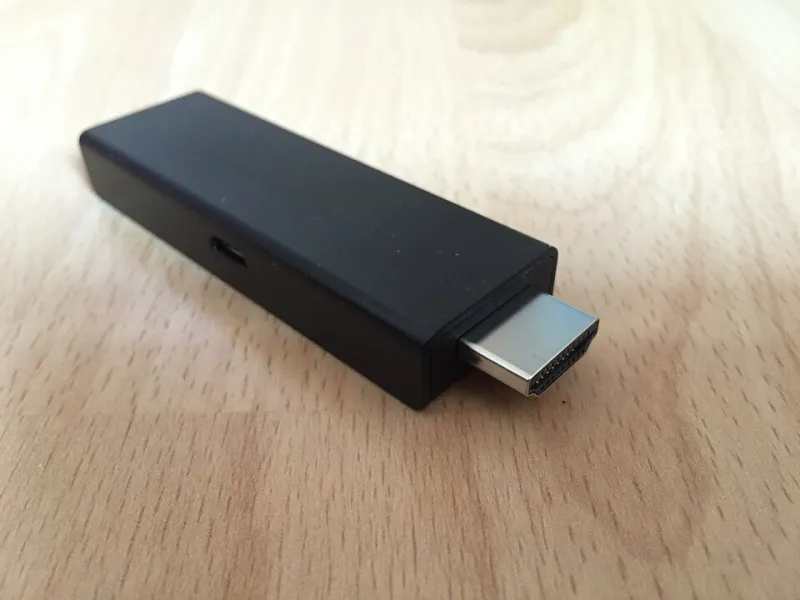
Photo: ubahnverleih, CC0, via Wikimedia Commons
£100 is a sensible ceiling for a first proper IPTV setup. It is enough to buy a streamer that feels quick and the one or two accessories that solve actual problems. It is not enough to buy every gadget on the recommendation shelf, so the job is mostly about knowing where to stop.
Start with the boring bit: what £100 actually buys
In 2026, a good 4K streaming stick or entry-level Android TV box sits between £45 and £70. That leaves £30 to £50 for an HDMI extension, an Ethernet adapter, a microSD card or a cheap surge protector. Spend the whole budget on the box and you will have no room for the fix that makes the setup reliable.
Here at IPTV UK Tech, we would rather see a £55 stick with a £15 Ethernet adapter than a £95 no-name box with impressive numbers on the side of the carton. The first setup will still be working happily next winter. The second is a lottery.
The device: spend most of your money here
Buy a current Fire TV Stick 4K or a reputable Google TV box from a UK retailer. You want something with proper app support, regular security updates and a remote that does not feel like a cereal-box toy. The device is the engine, and a weak engine shows up as slow menus, app crashes and a picture that takes an age to settle after you change channel.
Look for at least 2GB of RAM, 8GB of storage and support for HEVC and AV1. Wi-Fi 5 is the minimum in 2026; Wi-Fi 6 is better if your router supports it. A certified device with Widevine L1 is more likely to play BBC iPlayer, ITVX, Channel 4 and Netflix in the quality you expect. If the listing does not mention certification, assume it is a gamble.
What specs matter, and what is brochure fluff
RAM matters more than core count. Four gigabytes is comfortable, two is workable, and anything that advertises 16GB of RAM for £39 is telling you a story. Storage matters for app updates and cache, but most IPTV apps do not need a big drive. A microSD slot is useful only if you actually plan to download content for offline viewing.
Ignore 8K claims. UK broadband, app support and source quality are not there for most households, and an 8K badge on a budget box usually means the video decoder can technically handle the file, not that the experience will be good. Ignore RGB lighting and gaming-style remote buttons. Ignore any box that promises thousands of channels out of the box; use services and apps you are entitled to access.
Smart TV apps vs a dedicated streamer
If your TV is from the last four or five years and the apps open quickly, try the built-in apps first. You may not need to spend anything. But older panels often have weak processors, limited app stores and no Ethernet port. A £50 stick can add years of life to a perfectly good screen.
The catch is that smart TV apps can be slow to update. A dedicated streamer usually gets new features first and is easier to replace when it ages. If you are buying for a second room, a stick is almost always neater than a box and a tangle of cables.
Accessories worth adding
An HDMI extension cable is the cheapest useful accessory you can buy. It gets a stick away from the back of a wall-mounted TV, where Wi-Fi and remote signals struggle. It also helps with overheating.
An Ethernet adapter is the single best upgrade if your router is within cable reach. On a Fire TV Stick, the official adapter adds a wired port and keeps the stick powered. On a Google TV device, a USB-C hub with Ethernet and power delivery does the same job. Wired connections remove Wi-Fi from the equation, which is exactly what you want when troubleshooting.
A surge protector is boring but sensible. A microSD card is optional. Do not buy an expensive HDMI cable for a streaming stick; the cheap one in the box is fine.
What to skip
Skip fully loaded boxes with mysterious apps and no clear support. Skip lifetime subscriptions from sellers who want a bank transfer. Skip imported Android boxes with no UK warranty. Skip the upsell to a gaming router unless your whole home has Wi-Fi problems; a £15 adapter is a better first fix.
Also skip the idea that more money automatically means smoother playback. A £100 setup done properly will beat a £200 pile of mismatched gadgets every time.
A sample £100 shopping list
A current Fire TV Stick 4K or equivalent Google TV box: about £55. An Ethernet adapter: about £15. An HDMI extension: about £8. A surge protector: about £10. That is £88, leaving £12 for a cheap remote or a month of a legitimate service. If you cannot run Ethernet, put the adapter money towards a better router position instead.
Bottom line
Spend on the device, fix the connection, and ignore the fairy dust. A sub-£100 IPTV setup in 2026 can be quick, stable and easy to live with, as long as you treat the stick or box as the foundation rather than the whole project.