The Picture's Fine, the Sound Isn't: A Practical Audio Diagnosis for UK IPTV Setups
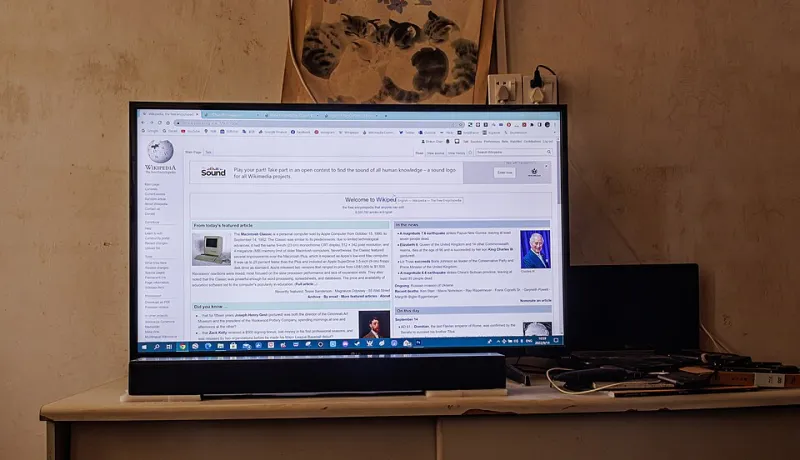
Photo: Dinkun Chen, CC BY-SA 4.0, via Wikimedia Commons
Picture problems are noisy and obvious. Audio problems are sneaky. A half-second lip-sync drift, a drama where every line is mumbled under a swelling orchestral score, or a soundbar that insists on stereo when the app swears it is sending 5.1 — none of these make the telly unwatchable, which is exactly why people put up with them for months. This guide is about fixing them in a sensible order rather than jabbing at every menu you can find.
One honest test first, not five
Before you touch anything, pick a single reliable test clip and write down what is actually wrong. That is not the same as what you think is wrong.
BBC One HD at six o'clock is a good baseline. A news studio has a presenter talking directly to camera with no music underneath, which makes lip-sync drift almost embarrassingly easy to spot — the classic tell is a slight lag on the plosives, the P and B sounds. If the news reads fine but a drama on ITVX sounds muffled, your problem is not sync at all. It is dialogue clarity or a downmix issue.
Note three things: is the audio late, early or in time? Is it quiet only on speech, or quiet overall? Is your AV receiver or soundbar showing the format it expects, or something else entirely? Answers to those three questions cut the search space dramatically.
The HDMI handshake is where most of this starts
If you have a soundbar or receiver on HDMI ARC or eARC, start there. ARC is the audio return channel — the telly sends sound back down the same cable that carries the picture to your screen. It is convenient, and it is also the single most common point of failure in a living room.
Check the cable. ARC works over a standard high-speed HDMI cable, but eARC needs the bandwidth of a certified Ultra High Speed cable, and the unbranded one from a drawer of odds and ends is often neither. Swap it for a known-good cable before you do anything else. It takes two minutes and solves a surprising number of complaints.
Then check that eARC is actually enabled on both ends. On Samsung sets it lives under Sound Output and Expert Settings; on LG it is usually under Sound Out and Advanced Settings; Panasonic hides it in the HDMI settings. If the soundbar is plugged into an HDMI port that is not labelled ARC, you are getting stereo at best and nothing at worst.
One more thing worth checking: HDMI-CEC. With CEC on, your TV remote can wake the soundbar, but CEC also lets devices argue about who controls the volume. If the volume rocker on your telly does nothing and you are reaching for a second remote, that is CEC behaving badly rather than an audio fault.
PCM or bitstream — the setting that decides who does the decoding
This is the one that trips people up. PCM means the source device decodes the audio and sends plain uncompressed stereo or multichannel to your TV. Bitstream means it passes the raw Dolby or DTS stream along for the TV or soundbar to decode.
Rule of thumb for a UK IPTV setup: if your soundbar or receiver handles Dolby Digital Plus, bitstream it and let the speaker do the work. If it is an older or cheaper bar, or you are running audio into the TV's own speakers, choose PCM. Sending bitstream to a device that does not understand it usually results in silence, a weird clicking, or a fallback to stereo that never switches back.
Streaming sticks have their own version of this menu. On a Fire TV it is buried under Settings, Display and Sounds, Audio, then Surround Sound, where you will find options like Best Available, Dolby Digital Plus and PCM. On Android TV boxes it is often called Digital Audio Format. Whichever device you are using, make one change at a time and retest — changing three settings at once and hoping is how people end up more confused than when they started.
Using the delay controls properly
Nearly every modern TV has an audio delay slider, usually measured in milliseconds, and it is the right tool for a problem the HDMI chain caused. It is the wrong tool for everything else.
Work it out rather than guessing. A delay of about 100ms is roughly a tenth of a second, which is noticeably sloppy but not comical. If the sound is late by closer to half a second, you are probably looking at a frame-rate or processing issue rather than a sync offset, and a huge delay value will just push the problem somewhere else.
Also be aware that the delay setting often only applies to certain outputs. On many sets, the internal speakers and the HDMI output each get their own control, and fiddling with the wrong one does nothing at all. Test with the soundbar on, TV speakers off, so you are hearing the path you are adjusting.
When dialogue is quiet and explosions are not
The complaint that sounds least like a technical fault and most like an engineering one: whispered conversations, deafening adverts. That is dynamic range, and there are honest fixes.
Look for a night mode, a dialogue enhancer, a clear voice setting or an automatic volume levelling option — different brands, different names, similar job. Soundbars from the usual suspects all have something along these lines. Turning it on compresses the loud bits and lifts the quiet bits, which is exactly what you want at eleven at night in a flat with thin walls.
If the option does not exist, the fallback is subtitles, and there is no shame in it. Plenty of UK viewers run subtitles permanently for exactly this reason.
A five-minute routine worth keeping
Run this whenever you move hardware or add a device, and keep the results somewhere:
- BBC One HD news — checks basic lip-sync with talking heads.
- A film on BBC iPlayer that carries a 5.1 track — confirms surround is reaching the bar, not just stereo.
- An ITVX drama — checks dialogue clarity, since ITVX is reliably stereo and will expose a bad downmix.
- A YouTube 4K clip — a sanity check that the device itself is not the problem.
- Your usual live channel at peak time — verifies nothing falls apart when the network is busiest.
If the news syncs and the drama is clear after that lot, you are done. If only one app misbehaves, the fault is in that app, not your cables, and no amount of HDMI swapping will fix it.
When to stop fiddling
There is a point where the remaining problem is the source. Some IPTV feeds carry slightly sloppy audio, some on-demand apps mux their tracks imperfectly, and no TV menu will repair the broadcaster's encode. If your hardware passes every test above and one specific channel is consistently a fraction out, live with it, or use the delay slider only when you are watching that channel. Not everything in a streaming setup is yours to fix, and knowing when you have reached that boundary saves an entire evening.