The 9pm Neighbourhood: Is It Your Wi-Fi, Your Cabinet, or the Whole Street?
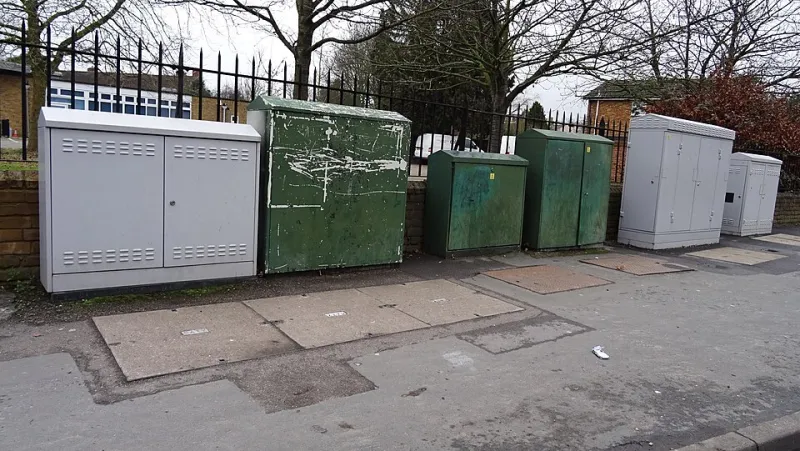
Photo: Rob Emms , CC BY-SA 2.0, via Wikimedia Commons
It's 20:58. The stream has been flawless all afternoon. Then the football, the drama, or the live show starts and the picture develops that little hitch — a quarter-second freeze, a re-buffer, a moment of blockiness, then back to normal. Repeat at 21:07, 21:19, 21:41.
This is the single most misdiagnosed problem in UK IPTV. People buy a new router. They ring their ISP and get talked through a line test that comes back clean. They swap providers. None of it helps, because nobody established which of the four possible bottlenecks was actually choking.
So let's walk the chain.
The chain between you and the channel
From your telly to the stream, the traffic passes through: your Wi-Fi, your router, the phone line or fibre into your property, the street cabinet or fibre splitter, your ISP's backhaul, the peering points where your ISP hands traffic to other networks, a content delivery network, and finally the IPTV provider's own servers.
Any one of those can be the weak link at nine o'clock. Most of them aren't your fault, and only about half of them are fixable from your sofa.
Here's the bit that surprises people. When your neighbour watches Netflix, that often costs your line almost nothing, because Netflix installs caching boxes inside UK ISPs — the content is effectively served from a rack a few miles away. Your IPTV stream, by contrast, is coming from a provider's server, possibly in London, possibly in Amsterdam, over a peering link that may be sized for a quiet Tuesday rather than a Saturday night. Two people, two completely different paths.
Why nine o'clock specifically
It's the intersection of three curves. Household internet use peaks between 8pm and 10pm. Live sport and big-ticket telly all schedule into that window. And your own household is doing its own thing — someone on a video call, someone gaming, a tablet streaming in the kitchen.
For FTTC customers on a street cabinet, that cabinet is shared. It was provisioned with a contention assumption that was reasonable when it went in and may not reflect the fourteen households that have since signed up to 4K everything.
Four tests that separate local from street
One: wired versus wireless, at the same moment. If you can, plug the same device into the router with a cable at 21:00 and watch the same channel. If the stutter vanishes, it's your Wi-Fi and the rest of this article doesn't apply. If it persists, keep reading.
Two: the three-ping ladder. Ping your router, ping a big public resolver, and ping a UK site. At 3pm, note all three. At 9pm, repeat.
- Router ping rising from 2ms to 40ms: your Wi-Fi is congested. Local problem.
- Router ping flat but outbound ping rising from 12ms to 60ms with occasional loss: contention somewhere between your router and the wider internet. Not your Wi-Fi.
- Outbound ping stable but the IPTV stream still stutters: the problem is the provider's server or the route to it, not your line.
Three: a free line monitor. Services like ThinkBroadband's ping graph will log your connection for twenty-four hours and show you, in a picture, whether you're getting packet loss at peak. Packet loss is the real culprit in most 'stuttering' complaints — it forces retransmissions, which the player experiences as a freeze.
Four: the control test. At 9pm, play BBC iPlayer in 4K on the same device over the same connection. If iPlayer is flawless and your IPTV stream stutters, you have just proved your line is fine and the issue is the IPTV path. That single test saves an enormous amount of arguing with your ISP.
A fifth, if you're stuck: tether your box to your phone for ten minutes at 9pm. If mobile data handles the stream better than your fibre, the bottleneck is definitely on your line.
Speed tests at the wrong time tell you nothing
A 500Mbps result at two in the afternoon is a comfort blanket. Run it again at 21:15. If it drops to 60Mbps, that's contention — the capacity is shared and you're getting your share at the wrong moment. If it stays at 500Mbps and the stream still breaks, you've eliminated raw bandwidth entirely and you're looking at latency, packet loss or the provider.
What you can genuinely do about it
Router QoS — but the right kind. Most router 'QoS' menus just prioritise a device. What actually helps with peak-time wobble is SQM or fq_codel, which manages the buffer and stops one big download ruining everyone else's latency. It won't create capacity; it will stop your own household eating itself.
Buffer and bitrate settings in the player. Many IPTV apps let you raise the buffer. A bigger buffer trades a slightly slower channel change for a much smoother stream. Some providers offer a lower-bitrate variant of big channels — worth knowing about for live sport.
Watch on delay. If a provider offers catch-up or recording, use it. A recording made at 9pm and watched at 10:30 is a completely different technical experience, because the download happens off-peak or with buffering headroom.
A second line. Load-balancing routers with dual WAN — a TP-Link ER605 is about fifty quid — let you bring in a second connection. Be realistic: this is failover or per-device routing, not true bonding. A single stream won't use both lines unless you're paying for a proper bonding service.
A 4G or 5G backup. Fine for a handful of streams, poor for a household. Useful as an emergency route on the night the line drops entirely.
Change ISP — but only for the right reason. If your line monitor shows congestion at the cabinet, a different provider on the same Openreach cabinet may not help at all. If it shows congestion at peering, it very well might. Check ISP-specific forums and ThinkBroadband before you jump.
Ask your provider for a different server. Some services run multiple entry points. A different one can route around a congested path. It's a five-minute email and occasionally a genuine fix.
Realistic expectations
A certain amount of peak-time variance is normal and does not need fixing. If your stream holds together with the occasional quarter-second blip, that's the internet working as designed. Chase it only when it actually fails — when the picture breaks for seconds at a time, when audio drops, when the player gives up entirely.
And when it does fail, do the tests first. Knowing whether the problem is your Wi-Fi, your cabinet, your ISP or your provider turns a fortnight of guesswork into a single, useful phone call.