Second-Hand Console, Second Life: Using an Xbox or PlayStation as a Spare-Room Streamer
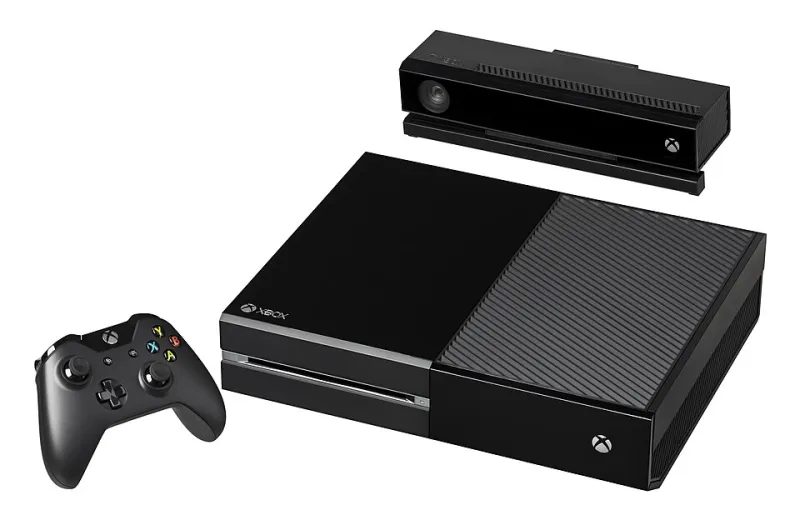
Photo: Evan-Amos, Public domain, via Wikimedia Commons
There's a fair chance you've got a console doing nothing in this house. A launch-window Xbox One that hasn't been switched on since a rainy bank holiday, a PS4 whose disc drive gave up years ago, maybe a Series S bought in a January moment of weakness. It boots. It's already signed in. It's sitting under a telly in a room where nobody plays games any more.
So the obvious thought arrives: could this thing be the bedroom IPTV player instead of spending another thirty quid on a stick? Yes — with caveats sharp enough to matter. Let's go through them properly.
What a console actually brings to a spare room
Quite a lot, on paper. A reasonably quick processor, proper 4K and HDR output, gigabit ethernet on most models, real storage, background updates that don't brick the thing mid-film, and an interface your household already understands. If a teenager in the house can navigate it, so can a grandparent after one demonstration.
The catch is philosophical rather than technical: a console is a walled garden with a curated app shop. It is not Android. There's no sideloading, no APK, no dropping in a third-party player because you fancy its channel grid. Whatever the manufacturer has decided to license for the UK is what you get, and that list changes without warning.
The app situation is the entire argument
This is where the idea lives or dies, so check it before you move anything.
Open the store on the actual console and search for the apps you care about: BBC iPlayer, ITVX, Channel 4, My5, UKTV Play, plus whatever streaming subscription the household already pays for. On Xbox the picture is usually better than on PlayStation, but availability has wobbled over the years — apps have arrived, vanished, and returned with a different interface. On PlayStation the entertainment section is thinner, and Sony has never shown much appetite for UK catch-up services.
Two rules. First, ignore any forum post older than about eighteen months; this stuff churns. Second, if your plan depends on a generic player that takes an M3U link or an Xtream login, stop here. Consoles generally can't run those, and no amount of workaround changes it. A console can be the app box. It very rarely can be the playlist box.
Controllers, remotes and the sofa problem
Using a gamepad as a telly remote is fine for five minutes and irritating by week two. Analogue sticks drift, batteries go flat at the worst moment, and there's something faintly ridiculous about thumbing through a channel list with a trigger.
You can soften this. Official and third-party media remotes exist for both Xbox and PlayStation for somewhere between £15 and £25, and they make browsing feel far more natural. HDMI-CEC will let your TV's own remote handle some basic navigation, though don't expect it to do everything. A USB keyboard works on Xbox and can be surprisingly good for searching.
Add that cost to the sums before you declare the console free.
Power, noise and the standby question
Here's the bit people skip. A streaming stick idles at two or three watts. A console in instant-on mode can pull ten to twenty, and older Xbox Ones are worse. Run one for eight hours a night, every night, and you're looking at roughly 30 to 60 kWh a year — call it £8 to £15 at current rates. Not ruinous, but it's real money for a box that's mostly showing a paused iPlayer screen.
Switch it to energy-saving mode and the standby figure drops hard, at the cost of slower cold boots and updates that only land when you're not waiting for them. In a spare room that's usually a fine trade.
Noise matters more than the electricity in a bedroom. A PS4 Pro under load in July sounds like a hairdryer on a low setting, and a fan spinning up at 11pm while someone's trying to sleep is a genuine relationship issue. If the console lives on a shelf with an inch of clearance behind it, give it more air or reconsider.
Wiring it up without creating new problems
A few small things that stop the console feeling like a compromise:
- Use ethernet if the room has a socket. Wired beats the internal aerial every time, and a console's Wi-Fi antenna is buried inside a lot of metal and plastic.
- Match the output to the panel. Set the console to the telly's native resolution and let it do the scaling rather than the other way round.
- Kill forced HDR. Some consoles will push HDR onto SDR streams and you'll spend an evening wondering why iPlayer looks washed out and grey.
- Leave game mode on. For video it makes no difference, and it saves you flicking settings back when someone eventually plays something.
- Turn off background downloads overnight if the drive noise carries.
When the £30 stick is still the smarter buy
Be honest about the brief. If the room's main event is your own playlist — live channels, a guide you've curated, catch-up you actually use — a console is the wrong tool and no amount of fiddling fixes it. A basic streaming stick or a cheap Android box will do the job better, quieter, and with a remote that behaves like a remote.
The console wins when the room needs mainstream apps in a nice interface on a decent panel, and the hardware is already sitting there depreciating to zero. That's a genuinely good use of it.
The sensible arrangement
Most households land in the same place: console on one HDMI input for iPlayer, ITVX and the subscriptions, a small stick on the other for the playlist and the guide. Two inputs, one telly remote, no new hardware beyond what's already in the drawer. It's not the tidy single-box answer people hope for, but it's the one that actually works on a Tuesday night in November.