Signal Diplomacy: Sharing One IPTV Box Between Two Rooms Without the Faff

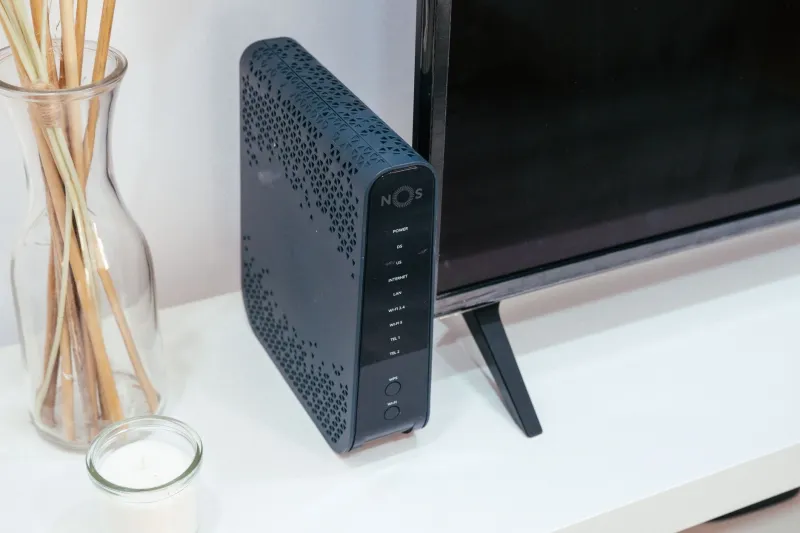
Photo: HDMI splitter box connected to television with cables behind TV, via i.pinimg.com
There's a particular kind of optimism that comes with buying a ten-quid HDMI splitter on a whim. You picture one IPTV box feeding the lounge telly and the bedroom telly, no second subscription, no second remote hunting expedition. Then you plug it in, and one screen goes black while the other decides it's now 60Hz and slightly the wrong shape. The splitter isn't broken. It's just that you've asked a passive bit of plastic to do an AV system's job.
Sharing one IPTV box between two rooms is genuinely doable, and it's often the cheapest way to get live telly into a spare bedroom. But the splitter needs to be treated as a small, slightly temperamental hub rather than a cable with ideas above its station. Here's the routine we'd use in a UK terraced house or a flat where drilling through a chimney breast is a bigger commitment than buying the hardware.
Start on the floor, not in the wall
Before anything goes near a drill, a trunking run or a length of flat HDMI under the carpet, build the whole thing in the same room. Box, splitter, both tellies, both cables, all on the floor or propped against the sofa. This sounds obvious. It is also the step most people skip, and it's the reason a Saturday afternoon turns into a second trip to Currys.
The floor test tells you three things: whether the splitter survives a proper EDID conversation with both screens, whether the long cable run you've bought actually carries a stable picture, and whether the remote-control arrangement works when the box is sitting next to you rather than behind a plasterboard wall. Run it for a full evening. Watch a live channel, pause something, switch inputs, turn one telly off and back on. If it stumbles on the floor, it will absolutely stumble once it's buried behind skirting board.
What the splitter is actually negotiating
Every time you connect an HDMI source to a screen, the two have a little chat called EDID. The telly tells the source what resolutions and refresh rates it can handle; the source picks something sensible. A splitter has to relay that conversation to two screens at once, and cheap ones often cheat: they copy one telly's EDID and present it to the IPTV box as if the other screen doesn't exist.
That's fine until the second telly is different. A 4K lounge set and a 1080p bedroom set are a classic mismatch. The box may output 4K because the lounge asked for it, and the bedroom splitter either drops the signal or downscales it badly. Some splitters have EDID dip switches or a small button that lets you pick a common denominator. If yours doesn't, set the IPTV box itself to 1080p and 50Hz before you connect both screens. You lose some sharpness on the 4K set, but you gain a picture in both rooms, which is usually the point.
HDCP is the other handshake. UK IPTV apps aren't all the same, but anything carrying protected content needs the splitter to pass HDCP cleanly to both outputs. A splitter that handles HDCP 2.2 properly is worth the extra twenty quid. One that doesn't may show a black screen on the second telly the moment you open a streaming app, even though the menu looks fine.
The 50Hz trap and the judder you can't unsee
Britain runs on 50Hz telly. Live football, Freeview, iPlayer, most of the stuff you actually watch arrives at 50 frames per second. If your splitter or box decides to output 60Hz because one of the tellies advertised it, you get judder on panning shots. It's subtle at first, then it becomes the only thing you can see.
The fix is boring: force 50Hz at the source. Set the IPTV box to 1080p50 or 2160p50 if both screens can take it, and leave it there. Don't let the splitter auto-negotiate a refresh rate on the fly. If your box has a 'match frame rate' setting, test it with both tellies connected before you trust it. Some splitters handle the switch cleanly; plenty don't.
Remote control without the cold war
One box, two rooms, one remote. This is where the setup either becomes elegant or turns into a shouting match through a wall. The IPTV box's own IR remote only works if it can see the box, so you'll need an IR extension kit: a little receiver eye in the second room and an emitter stuck over the box's IR window in the first. These cost about a tenner and work fine, provided you place the emitter accurately. Half a centimetre off and it's useless.
CEC is the other spanner. If both tellies have CEC enabled, turning on the bedroom set can wake the box, switch the lounge telly's input, or turn the lounge set off entirely. Unless you enjoy that kind of chaos, disable CEC on the second screen and use the app remote or a Bluetooth remote instead. Many IPTV boxes support a phone app or a USB dongle remote that doesn't need line of sight. That's often cleaner than an IR repeater and avoids the 'which room is the box in?' problem entirely.
Cheap splitters, long cables and the real-world test
An unpowered splitter is a gamble. It might work with two short cables and two 1080p screens. It will probably fall over when you add a ten-metre cable run to the bedroom, or when both tellies are on and one is asking for a different resolution. Buy a powered splitter with a proper power supply, and check it's rated for the cable length you're using. HDMI degrades over distance; a passive fifteen-metre cable is asking for sparkles and dropouts.
Once it's all working on the floor, test it under load. Watch a live channel for twenty minutes with both tellies on. Switch the bedroom telly off and on again. Open an app that uses HDCP. If it survives that, you can start thinking about trunking, wall plates and cable clips. If it doesn't, you've saved yourself a day of swearing at plasterboard.
When two boxes is the cheaper answer
Sometimes the honest advice is to stop. If your second room is a long cable run away, if the two tellies are wildly different, or if you need independent viewing — different channels in different rooms — a second cheap IPTV box is often less faff than a splitter plus IR kit plus EDID troubleshooting. The splitter setup shines when both rooms watch the same thing at the same time and the cable run is manageable. Step outside that, and you're building a small AV system to solve a problem a second box solves for £40.
Treat the splitter as the little hub it is, test it before it goes in the wall, and it'll do a genuinely useful job. Treat it as a passive cable and it'll remind you, at 8pm on a Saturday, that it isn't.