Marketing Megabits vs Real Streams: What UK IPTV Actually Eats in 2026
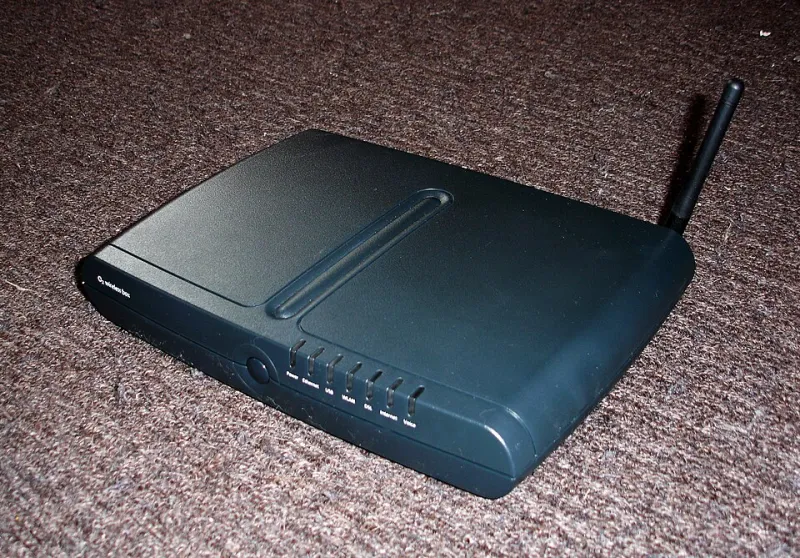
Photo: Be User Group Wiki, Public domain, via Wikimedia Commons
I spent two weeks measuring what IPTV streams actually pull at home, on a connection sold as 'up to 500 Mbps'. The peak figure I ever saw from a single 4K channel was 24 Mbps. That is not a typo, and it is the whole argument of this piece in one line.
None of this is a knock on fast broadband. It is a knock on the assumption that more headline speed equals a smoother picture. Once you get past roughly 50 Mbps of stable throughput, additional megabits stop helping IPTV and other things start deciding your evening.
The numbers a stream really needs
These are the figures I recorded across a mix of providers and apps over a fortnight, and they match what most well-run services quote:
| Quality | Typical bitrate | Notes |
|---|---|---|
| SD | 1.5 – 2.5 Mbps | Rarely used now, mostly older channels |
| HD 720p | 2.5 – 3.5 Mbps | Very common, very frugal |
| HD 1080p | 3.5 – 6 Mbps | The bread and butter of UK viewing |
| 1080p high bitrate | 6 – 8 Mbps | Sports channels, better encoders |
| 4K (HEVC) | 15 – 20 Mbps | Steady-state, most films and drama |
| 4K HDR, high motion | 22 – 30 Mbps | Live sport is the worst case |
Codecs matter as much as the quality tier. A modern HEVC or AV1 feed can look better than a legacy H.264 channel while using a third less bandwidth. If your box is ancient and cannot decode HEVC in hardware, it may be pulling a heavier H.264 stream and working harder to do it — which shows up as stutter, not buffering.
The multi-room sum nobody does
Here is the arithmetic that actually matters. Three people watching three HD streams at a decent 6 Mbps each is 18 Mbps. Add one 4K sport stream at 25 Mbps and you are at 43 Mbps. Add overheads, a phone updating, a games console downloading a patch and someone on a video call, and a realistic ceiling for a busy UK household is somewhere around 60 to 80 Mbps.
That is it. A stable 100 Mbps line, wired properly, will run a large family's IPTV habit comfortably. If you are paying for 900 Mbps and buffering at half past eight, the extra speed is not the missing piece.
Why a fast line still fails at 8pm
The evening peak is a congestion story, not a speed story. A few things happen at once.
Contention. Residential connections are shared. Your street cabinet or local fibre split is fine at 11am and busy at 8pm, and no amount of headline speed changes that.
Upstream saturation. If someone in the house is uploading — cloud backup, a big photo sync, a 4K video call — the download can collapse even though nobody is using it. This is bufferbloat, and it is the single most under-diagnosed cause of evening buffering I have seen.
Routing to the server. Your stream comes from somewhere specific. If the path from your ISP to that provider's CDN is congested, you can have a gigabit line and still see a spinning circle. Trying a different channel or a different server region often proves it in seconds.
Jitter and packet loss. Speed tests average things out. Streaming does not. A line that delivers 300 Mbps on average but drops packets in bursts will buffer constantly. Look at jitter and loss, not just the big number.
The upload myth
Unless you are streaming out or running a media server for friends, upload is almost irrelevant to watching IPTV. A 10 Mbps upload is plenty for a normal household. What matters is that upload is not being hammered while you watch, because on most consumer connections a saturated uplink drags the downlink down with it.
How to test your own setup properly
Do this over three evenings rather than one burst:
- Run a speed test at 2pm and again at 8:30pm on the same device, and write both down.
- Do the same test wired with an Ethernet cable. If wired is fine and Wi-Fi is not, your problem is local and cheap to fix.
- Check jitter and packet loss, not just throughput. Anything above roughly 30ms of jitter or 1 per cent loss will show on screen.
- Try a second stream on a second device simultaneously. Buffering that only appears when two people watch points squarely at local Wi-Fi or router capacity.
- Switch channel. If one channel buffers and another does not, the problem is upstream of your house and no router tweak will help.
- Test with the console and the cloud backup paused. Bufferbloat is easy to miss and easy to confirm.
What to spend money on instead
If your line is stable at 60 Mbps or more and you still buffer, the answer is almost never a faster package. It is one of these, roughly in order of value:
- A cable to the main box. Ethernet beats every Wi-Fi upgrade for a fixed telly, every time.
- A router that handles bufferbloat. Smart queue management on a decent mid-range router or a mesh system with wired backhaul fixes more 8pm stutter than a speed bump.
- A wired backhaul between mesh nodes. Two nodes chatting over Wi-Fi halves your usable throughput in exactly the rooms that needed help.
- A newer box. Hardware HEVC decoding and a bit more RAM stop the stutter that looks like a bandwidth problem but is actually a processor problem.
The short version
For 1080p viewing, 20 Mbps of genuinely stable throughput is comfortable. For 4K, plan on 35 to 40 Mbps per active 4K screen and be generous if sport is involved. Buy stability, low latency and decent Wi-Fi coverage — and stop paying for the top tier on the advert unless something else in the house genuinely needs it.