Black Screen Insurance: A UK Cord-Cutter’s Plan for the Night the Streams Vanish
At 8:47pm on a Tuesday, the football is about to start, the app is spinning, and the provider’s support chat has gone suspiciously quiet. If you rely on IPTV for daily telly, that moment is not a theoretical risk. It is a when, not an if. The good news is that a little boring preparation turns a black-screen emergency into a mild inconvenience.
This is not about naming and shaming providers or pretending every outage is a scam. Services go down, apps break, payments fail and sometimes a business simply folds. The point is to build a fallback that works in a UK living room, with the aerial you already have and the catch-up apps you are probably already entitled to use.
The wobbles before the blackout
Providers rarely vanish with zero warning. The trick is noticing the pattern before you renew. A service that suddenly stops updating its EPG, drops whole channel groups, or takes days to answer a simple support message is telling you something. So is an app that has not had an update in ages, or a payment page that only accepts odd methods and never produces a proper receipt.
Other amber flags: buffering that gets worse at peak time even after a router reboot, channels being renamed or reshuffled every few days, and support replies that feel copy-pasted from a different decade. None of these prove the service is about to disappear. Together, though, they are a decent reason not to hand over a year’s subscription in one go.
Before renewal, take ten minutes to record what you actually have. Note the provider name, the app you use, your login details, the renewal date and how you paid. Keep the receipt somewhere sensible. If your app lets you export your playlist or favourites, do it. Screenshot the EPG and channel layout too. It sounds fussy, but when the stream dies you will be glad you are not trying to remember which email address you used.
Build the fallback stack now, not at 9pm
The best backup is the one you have already tested. For most UK homes, that means a working aerial feeding Freeview or Freely, plus the main broadcaster apps: BBC iPlayer, ITVX, Channel 4, My5 and UKTV Play. If you have Freesat, even better. The key is to check that the aerial is still connected, the TV has tuned the channels, and the apps are signed in.
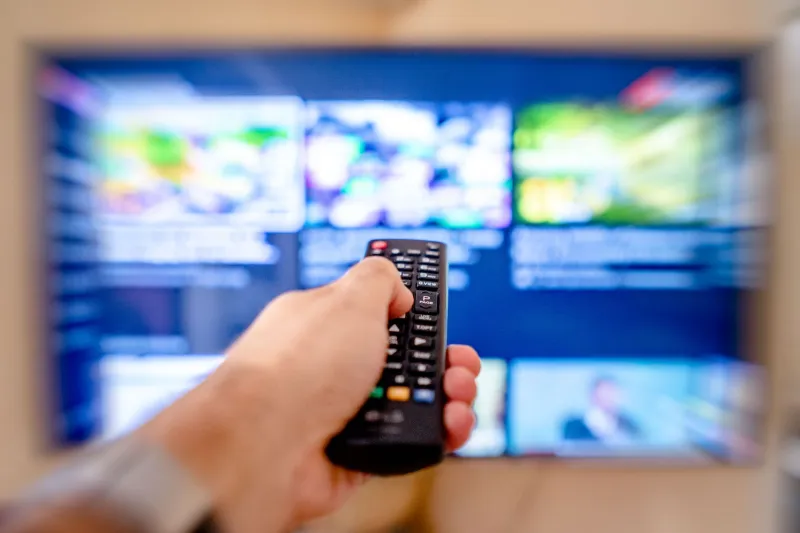
Make a ‘blackout folder’ on your TV home screen or streaming stick. Put Freeview Play, iPlayer, ITVX, Channel 4, My5 and UKTV Play in one row. If the IPTV app falls over, you are one press away from normal telly rather than scrolling through menus while somebody else complains about the remote.
Do not forget radio and podcasts. A local BBC radio stream or a downloaded podcast will not fix the football, but it keeps the house calm when the broadband is fine and the IPTV app is not. If you have a second streaming device lying in a drawer, update it now and keep it charged or plugged in. A spare Fire TV Stick or Android box is cheap insurance, but only if it is ready before you need it.
The recovery plan: what to do when the streams go dark
First, do not factory reset anything. Panic resets wipe the evidence and often make the recovery harder. Check your broadband with a quick speed test and open a normal website. If the internet is fine, move to the next step.
Check the provider’s status page, social feed or support channel. If there is an announcement, read it properly. If there is silence, test the same service on a second device. That tells you whether the problem is your TV, your app or the service itself. If only one device is affected, reinstall the app or clear its cache. If every device is affected, stop fiddling with your router.
Contact the provider once, with useful detail: your account name, the app and device, the time the problem started, and a screenshot of any error. Then switch to the fallback. Do not spend the evening refreshing a dead app while the family misses the programme they actually wanted.
If the provider has genuinely vanished, protect your payment. If you paid by card, contact your bank promptly and explain what happened. If you paid by direct debit, ask for the mandate to be cancelled. Do not expect a refund from a company that has stopped answering, but do not let a dead service keep taking money either.
When you are ready to look for a replacement, avoid the urge to prepay for years to save a few pounds. Start with a short period, test it properly at peak time, and keep your fallback in place. A good provider should be boring: clear support, stable streams, sensible billing and a service that does not need a rescue mission every weekend.
What not to do in a panic
Do not buy a ‘fully loaded’ box from a bloke in a pub car park. Do not install random APK files from a link someone posted in a group chat. Do not hand over your card details to a service that has no proper contact route. And do not assume every problem is your broadband. Sometimes the stream is fine and the provider is not.
The unglamorous truth is that resilience is a stack, not a single app. A tuned aerial, a few signed-in catch-up apps, a spare device and a short memory for dodgy subscriptions will get you through most blackouts. The best IPTV setup is not the one with the most channels. It is the one that keeps the telly working when the provider has a bad night.