The 10,000-Channel Hangover: Trim Your IPTV Playlist to the Five You Actually Watch
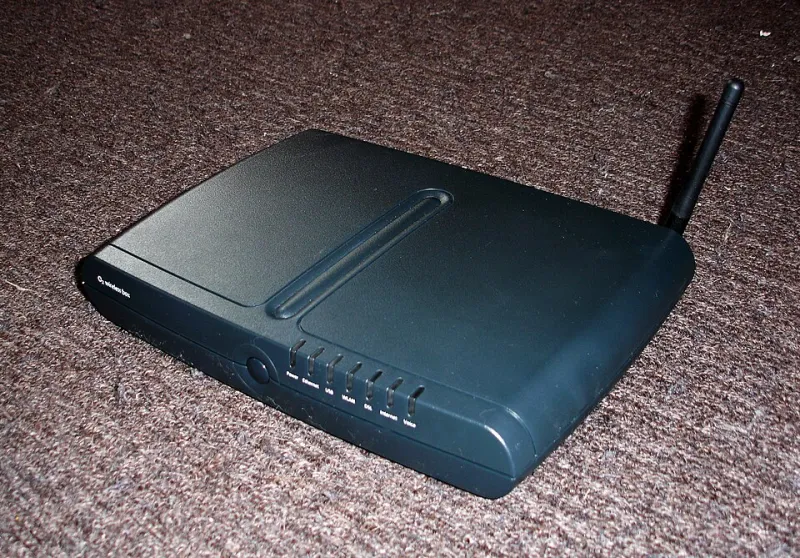
Photo: PhotoPicker13, CC BY-SA 4.0, via Wikimedia Commons
There is a particular kind of madness in opening your IPTV app, seeing 10,000 channels, and then watching the same five programmes you always watch. The channel list becomes an attic: technically full of things, practically useless. And every extra duplicate, dead channel and regional clone makes the app slower, the guide messier and the remote more annoying.
A curated playlist is the easiest upgrade you can make to a UK IPTV setup. It costs nothing, takes an evening, and makes the whole thing feel less like a dodgy warehouse and more like a proper telly service. This is the channel list diet: fewer options, faster navigation, better viewing.
Why bloat is not a bragging right
Providers love big numbers. ‘10,000 channels’ sounds generous until you realise that 4,000 of them are duplicates, 2,000 are in languages you do not speak, and several hundred are labelled HD, FHD, UHD and ‘backup’ when they are all the same feed. The app has to load that lot, the EPG has to populate it, and you have to scroll past it every time you want Channel 4.
Bloat does not usually eat your broadband. The real cost is time and patience. A fat playlist can slow down the app’s startup, make search results messy and turn the EPG into a laggy wall of text. It also makes it harder to spot the good channel when the provider has three versions of it and only one is stable.
Step one: audit what you actually watch
For one week, keep a mental note of every channel you genuinely use. Not the ones you might watch one day. The ones you actually open. For most UK households, that list is short: BBC One, ITV1, Channel 4, maybe Sky Sports or TNT Sports if you pay for them, a news channel, a kids’ channel and one or two niche favourites. That is your starting point.
If your app has a ‘recently watched’ or ‘history’ section, use it. It is usually more honest than your intentions. Then write your shortlist down. Five to fifteen channels is a sensible target. If you get to thirty, ask yourself whether you are building a favourites list or a fantasy league.
Step two: hide the junk groups
Most decent IPTV players let you hide entire groups or categories. This is the single biggest win. Turn off adult groups, obscure international bundles, shopping channels, religious channels you never watch and any group labelled ‘VOD’ if you use a separate app for films. You are not deleting anything permanently; you are just telling the app what to show you.
Next, tackle duplicates. Look for channels with the same name but different suffixes: HD, FHD, UHD, 4K, backup, UK, VIP. Pick the one that works best for you and hide the rest. If your provider insists on putting BBC One in five different groups, keep the group that matches how you watch and hide the others.
Some apps let you rename channels. Use that power for good. ‘BBC One HD’ is fine; ‘UK | BBC ONE HD | 24/7 | VIP’ is not. A clean name makes search and favourites much easier.
Step three: build a favourites list that behaves like a TV guide
A favourites list should feel like a proper UK channel lineup, not a random collection. Put the main terrestrial channels first, in the order you expect: BBC One, BBC Two, ITV1, Channel 4, Channel 5. Then add your sport, news, kids and niche channels. If your app supports custom numbering, use familiar numbers where you can. It reduces the ‘where is it?’ tax every time somebody else picks up the remote.
Do not add channels you only watch once a month to the main favourites row. Make a second list or a separate group for those. The point of favourites is speed, not completeness. If you cannot find a channel in ten seconds, the list is too long.
Step four: put the EPG on a diet
A bloated EPG is the hangover after the channel-list party. If your app is pulling guide data for 10,000 channels, it will feel sluggish and the guide will be full of ‘No information’ anyway. In your player settings, limit the EPG to your favourites or to the groups you actually use. Set the update interval to something sensible, usually once a day, and clear the EPG cache if the app has been running for months.
If your provider offers multiple EPG sources, use the one that matches your region and keep it simple. A seven-day guide for the channels you watch is far more useful than a half-broken guide for every channel on the planet. If the guide is still a mess, it may be worth trying a different player app rather than blaming your TV.
Step five: clean the app itself
Once the list is lean, give the app a tidy-up. Update it to the latest version, clear the cache, and remove any old playlists you no longer use. If the app supports profiles, create one for the household and one for yourself. If it has a ‘start on last channel’ option, decide whether that is helpful or annoying. Little settings make a big difference to how premium the setup feels.
Keep a backup of your favourites and layout if the app allows it. Providers change playlists, apps get reinstalled, and boxes get replaced. A screenshot of your ideal lineup is a low-tech backup that saves a lot of faff.
The five-channel test
The real test of a good IPTV setup is not how many channels it has. It is how quickly you can get to the one you want. If your app opens to a clean favourites row, the guide loads quickly and nobody has to scroll past a thousand shopping channels to find the news, you have won. The 10,000-channel hangover is cured not by adding more, but by having the confidence to hide most of it.