The Suitcase Stream: A Holiday-Let IPTV Kit That Survives Caravan Wi-Fi

A holiday let is a lovely thing until the evening rain starts hammering the caravan roof and the only telly in the place is a five-year-old smart TV with three apps, one of which insists on an update it cannot download. That is the moment most people discover that holiday streaming is not really about the subscription. It is about the kit you brought, the network you landed on and whether you tested any of it before you left the driveway.
The sensible approach is to treat your holiday IPTV setup as a temporary network deployment rather than a mini version of your living room. You are not moving house. You are building a small, self-contained streaming kit that can cope with a captive portal, a weak signal and a telly that belongs to somebody else.
The rental telly is not your telly
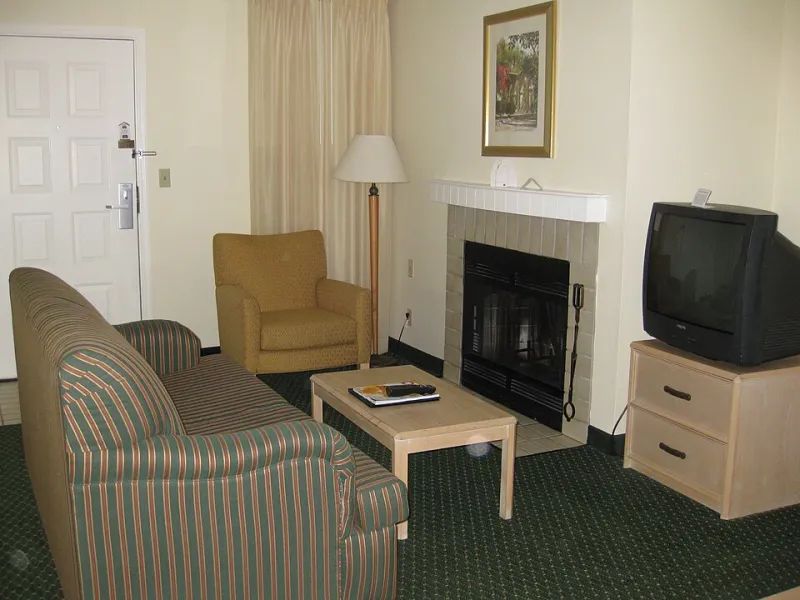
The first rule of holiday-let streaming is simple: do not build your evening around the television that came with the property. It may be a smart TV, but that does not mean it is smart in the way you need. Rental TVs are often on hotel mode, missing app stores, locked to an old firmware or signed into an account the owner controls. Some have no spare HDMI ports because a soundbar and a games console have already claimed them.
Take your own device. A Fire TV Stick, an Android TV box or a small streaming puck is easier to trust because you know its apps, its remote and its quirks. It also means you are not faffing about with somebody else's password reset at 9pm. If the rental TV has a spare HDMI port and a USB socket for power, you are in business. If not, you improvise, which is why the kit list matters.
The kit that earns its luggage space
You do not need a suitcase full of gadgets. You need a small pouch of things that solve predictable problems. Start with your streaming device and its remote, then add the boring bits that people forget:
- A short HDMI extension cable, because some caravan TVs have ports crammed so close to the wall that a stick will not fit.
- A USB power adapter and a longer USB cable. Do not rely on the TV's USB port; it may not supply enough power or may switch off with the telly.
- A compact travel router that can work in WISP or repeater mode. This is the single most useful upgrade for hotel and park Wi-Fi.
- A short Ethernet cable, just in case the router or the let has a usable socket.
- A four-way power strip with a short lead. Holiday lets are famous for one awkward socket behind a curtain.
- A small torch or phone light for reading the back of a telly in a dim corner.
A travel router does two jobs. It takes the park or hotel Wi-Fi, gets through the captive portal once, and then gives your streaming stick a stable little network of its own. That helps with devices that dislike login pages, and it means you are not re-entering the portal every time the stick wakes up. It also lets you keep your own Wi-Fi name and password, which is oddly reassuring when you are away from home.
Captive portals: the first ten minutes
Hotel and caravan-park Wi-Fi usually opens with a login page rather than a normal password prompt. Your phone handles this without complaint. Your streaming stick may not. Some devices simply refuse to show the page, which is why the travel router earns its place.
Connect your phone or laptop to the travel router first. Join the park network through the router's admin page, complete the portal in your phone's browser, then connect your streaming device to the router's own Wi-Fi. If you are skipping the router, try opening a plain HTTP page rather than a secure one, or use the device's browser if it has one. On a Fire TV Stick, the silk browser can sometimes rescue you. On an Android box, a file manager with a browser shortcut may do the same.
Do not spend an hour fighting a portal on the telly. If it will not cooperate, use your phone as a hotspot for the evening. It is not a long-term answer, but it is a perfectly good short-term one, especially if you have a decent data allowance.
Test before you leave
The most valuable part of this kit is the rehearsal. A week before you go, unplug your streaming box at home and set it up as if you were in the caravan. Connect it to a phone hotspot rather than your home broadband. Open the apps, sign in, check the guide, play a live channel and leave it running for twenty minutes. You are looking for the things that only appear when the network changes: a login that expires, a region check, a PIN you have forgotten, an app that wants a fresh update.
While you are at it, label the cables. A strip of masking tape and a marker is enough. Holiday-let corners eat unidentified USB leads. If you take a spare remote, check its batteries. If you rely on a voice remote, make sure it does not need a pairing ritual you have forgotten.
Keep credentials out of the rental
Signing into your IPTV app or streaming account on a device you leave behind is a bad habit. If you take your own stick, your credentials stay with you. If you absolutely must use the rental TV, sign out before you leave and change the password when you get home if you are unsure. Do not save payment details on a shared device, and do not leave your main email account signed in on a telly in a holiday cottage.
A simple handover routine helps. Before you leave home, check which apps need a login. When you arrive, connect the device, sign in, and keep the password manager on your phone rather than scribbled on a note by the kettle.
The rainy Saturday fallback
The park Wi-Fi will sometimes give up. The weather will sometimes be worse than forecast. The kids will sometimes have watched the same three episodes before lunch. This is why a sensible holiday kit includes an offline plan.
The fallback can be modest: a few downloaded programmes on a phone or tablet, a portable drive with films you already own, or a Freeview aerial if the let has a working aerial socket and the telly has a tuner. A cheap indoor aerial is not glamorous, but it can keep the evening civil when the network is crawling. If you are in a caravan with decent mobile signal, a pay-as-you-go data SIM in a travel router is another practical line of defence.
The point is not to build a bunker. It is to avoid the situation where the whole evening depends on one flaky Wi-Fi network and one unfamiliar telly. Bring your own device, test it before you go, keep the credentials safe and have something offline for the night the park network decides to have a lie-down. That is how holiday telly stays a small pleasure rather than a troubleshooting session in a rainy field.